Connect with your congregation
through WhatsApp messaging.
Echo is a WhatsApp messaging platform built for churches and non-profits. It plugs straight into Planning Center — and works just as well on its own.
Designed for
your church management system.
Echo goes deepest with Planning Center — a live, two-way integration that works within your existing permissions. On a different ChMS, or none at all? Bring your people across and everything else in Echo works exactly the same.
Sign in the way your organisation already works
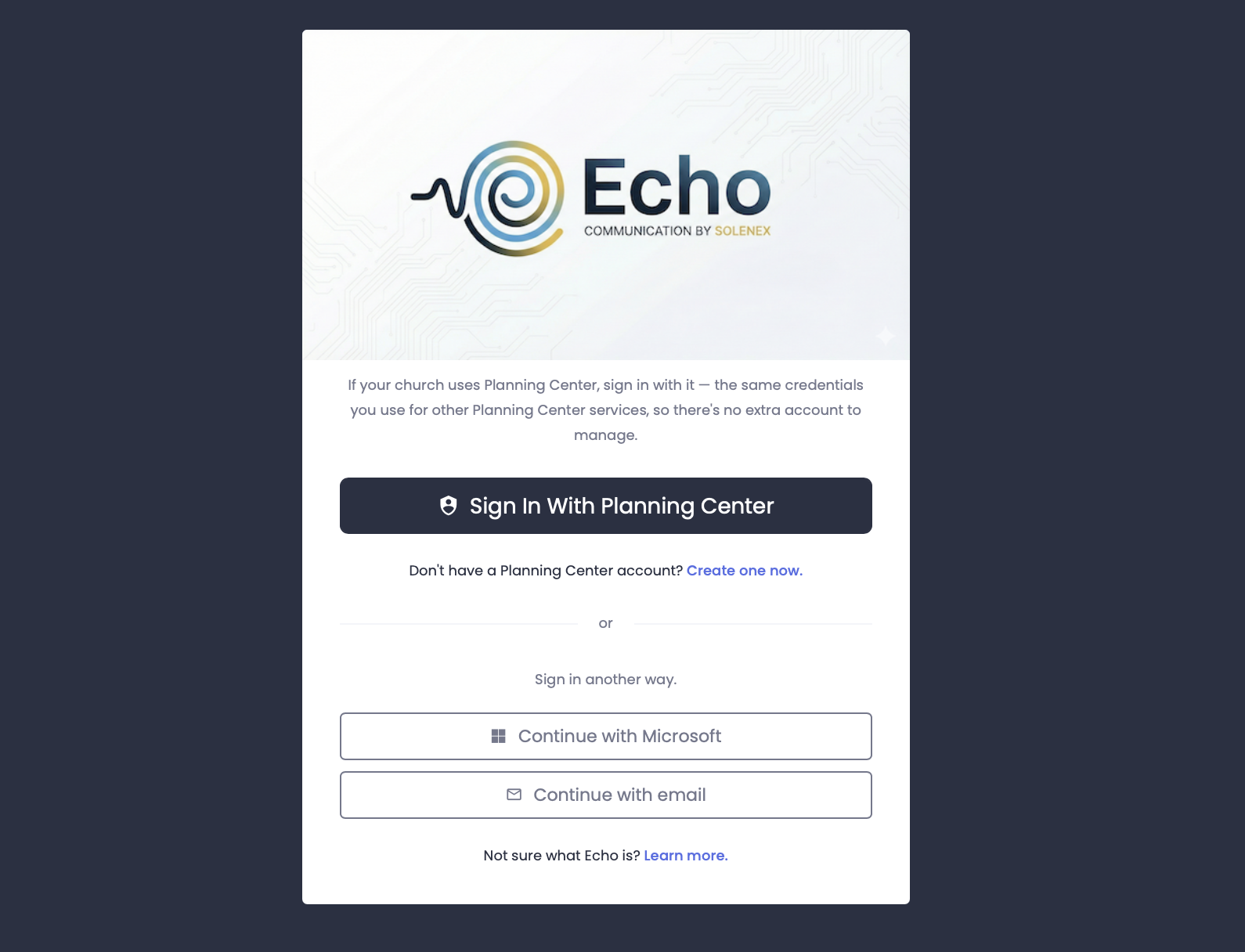
Single sign-on with Planning Center or Microsoft, so your team uses credentials they already have and there is no extra account to manage. Not on either? Passwordless email sign-in is there for everyone else — nobody is locked out because of the ChMS you chose.
- One-click authentication with Planning Center OAuth
- Microsoft sign-in for organisations on Microsoft 365
- Passwordless email sign-in for everyone else
- Automatic permission sync for Planning Center accounts
- No separate login credentials to create or remember
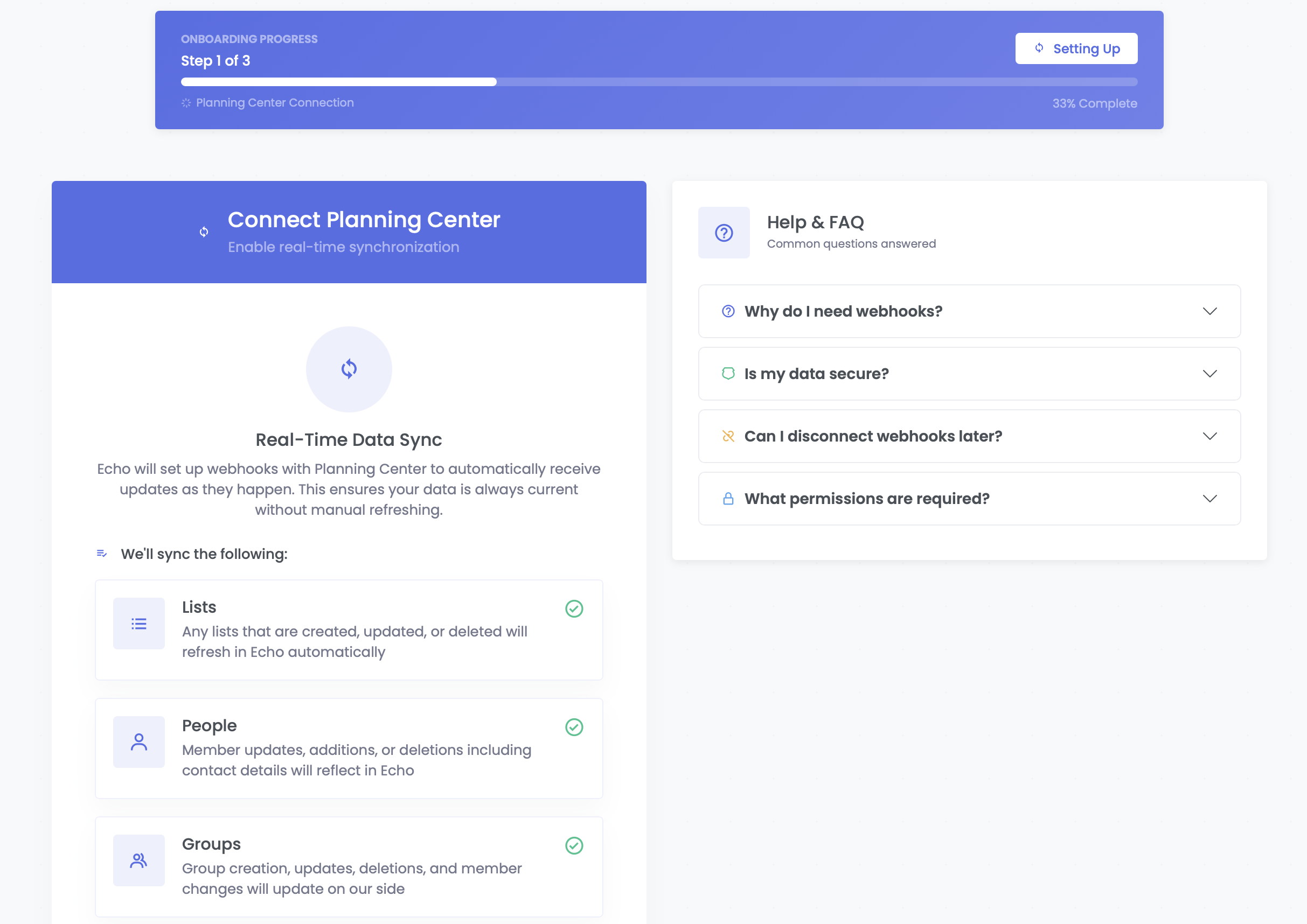
Automatic Synchronization with Planning Center
Your Planning Center data syncs automatically with Echo. When people are added, updated, or removed in Planning Center, Echo stays in sync. No manual imports or exports needed.
- Lists: Sync unlimited people from your PCO lists
- Groups: Message entire small groups or teams
- People: Send messages to individual members or have conversations with specific people.
- Newly shared lists: Share a list with Echo after setup and it is picked up automatically
On a different ChMS? Echo still works.
Whatever church management system you run — or none at all — sign up with Microsoft or an email link and bring your own address book. Every organisation gets contacts and lists it owns outright.
- Sign in with Microsoft or a passwordless email link
- Export from your ChMS and import the CSV, mapping your own columns
- Preview exactly what will be imported before you commit
- Duplicates matched on phone number, so re-importing an updated spreadsheet never doubles anyone up
- Build your own lists and send to them exactly as you would a Planning Center list
Already on Planning Center? Nothing about your setup changes — your own contacts simply sit alongside it.
WhatsApp Business
Setup & Verification
Getting started with WhatsApp messaging is easier than you think. We guide you through every step.
1. WhatsApp Business Account
Connect your WhatsApp Business account without leaving Echo. Meta's Embedded Signup runs right inside the app, so there is no copying tokens between browser tabs, and Echo checks that no other organisation has already claimed the account.
2. Phone Number Verification
Choose a dedicated phone number for your organization's WhatsApp messaging. We'll walk you through Meta's verification process, and Echo shows you the live status of each connected number so you always know where it stands.
3. Meta Business Verification
Complete Meta's business verification to unlock full messaging capabilities. This confirms your organization's identity and builds trust with your recipients.
4. Start Messaging
Once verified, you're ready to send to your Planning Center lists, groups and registrations — or to contact lists of your own. The setup wizard skips any step that doesn't apply to you, so you're never asked to configure something you don't use.
Powerful
Automations
Guide your people's journeys by automatically sending WhatsApp messages when they're added to or removed from lists, groups, service teams, or registrations.
Automate Based on People Changes
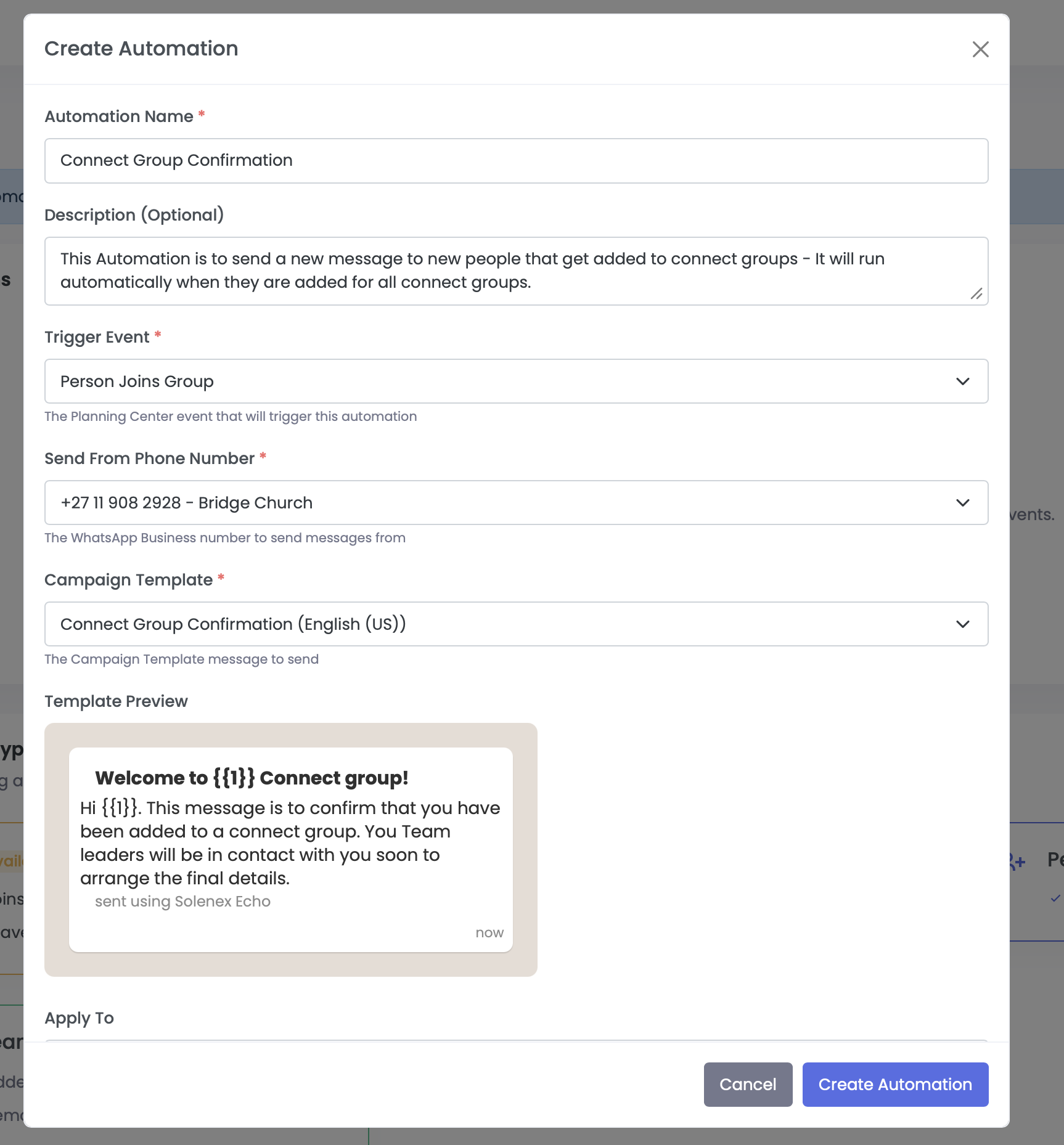
Set up intelligent workflows that trigger when people join or leave your Planning Center groups or lists. Welcome new members, follow up with first-time visitors, or send reminders. All automatically.
- Welcome messages when someone joins a group
- Follow-up sequences for new visitors
- Team onboarding for new group members
- Custom delays and message sequences
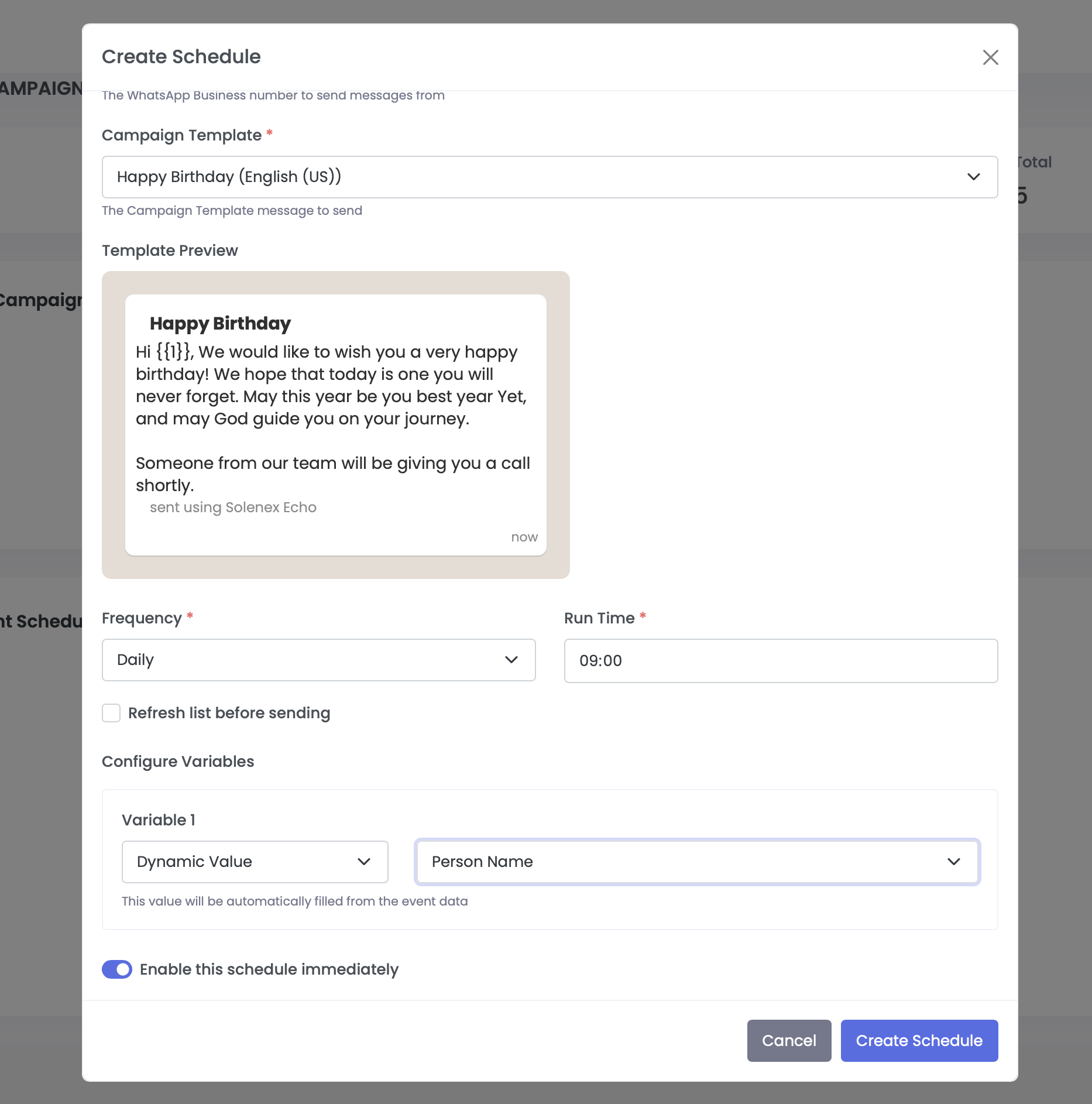
Schedule Messages for Specific Events
Schedule WhatsApp messages to go out at the perfect time. Send reminders before services, updates about event changes, or even birthday messages from your church.
- Schedule messages for any date and time
- Send service reminders automatically
- Event-specific messaging for attendees
- Recurring messages for daily and weekly events
A shared inbox
your team can work in.
Messaging isn't one-way. Replies — and, on Enterprise, questions asked on your own website — land in one shared inbox your whole team can see, assign and answer. Rebuilt from the ground up to feel like the messaging apps you already use.
Real conversations, not a log
Proper message bubbles, day dividers for Today, Yesterday and older dates, and reactions shown on the edge of the bubble. The thread no longer redraws every time a delivery receipt arrives, and it won't yank you back to the bottom while you're reading further up.
Everything you've sent them, in line
Open any conversation and show every campaign, scheduled send, automation and API message that person has already received, woven into the thread. No second tab needed to work out what they've heard from you.
Automatic replies held aside
Send to a few thousand people and everyone running a WhatsApp Business away message bounces one straight back. Echo recognises those and keeps them out of your inbox. Review anything it has filtered, and restore anything it got wrong.
Browser notifications
Echo tells you in your browser the moment a new message arrives, so nobody has to babysit an open tab. Turn it on from the bell icon in the top bar.
Built for long histories
Threads load their most recent messages first and fetch older ones as you scroll. The inbox reads only what it shows you, so conversations you've had running for years open as quickly as new ones — and there's no longer a ceiling a conversation can grow into.
Templates with images, video and documents
Send templates with a media header and know they'll arrive. Echo stores your header media itself rather than relying on links from WhatsApp that expire — so a template that works today still works on a scheduled send months from now.
Support from your website, answered in Echo.
Add the Echo conversation embed to your website and a visitor can ask a question without leaving the page. The enquiry arrives in the same shared inbox as your WhatsApp conversations — so your team answers everything in one place, with the same assignment, history and notifications.
- Drop a single snippet into your site — no separate helpdesk to run
- Website enquiries land in the shared inbox alongside WhatsApp
- Assign, reply and resolve without switching tools
- Full history kept against the person who asked
- Styled to sit comfortably on your own site
Echo Communications — the same inbox, on your phone.
Echo Communications is in public beta on iOS and Android. Your team can reply from their phones with the same shared inbox, assignment and push notifications they already have on the web. Join the beta and help us shape it.
Metrics at
Your Fingertips
Message metrics are more than just marketing stats. They give you important pastoral information that helps you care for your people.
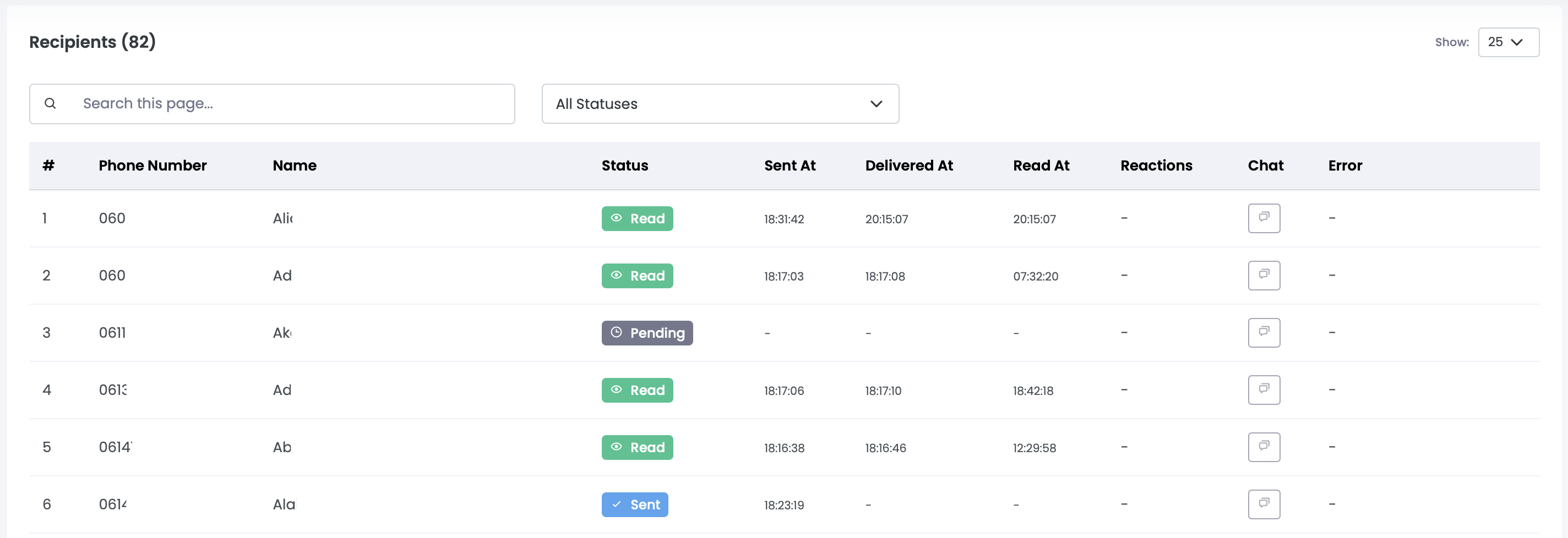
Delivery Rates
Track successful message delivery and identify any issues with phone numbers or connections.
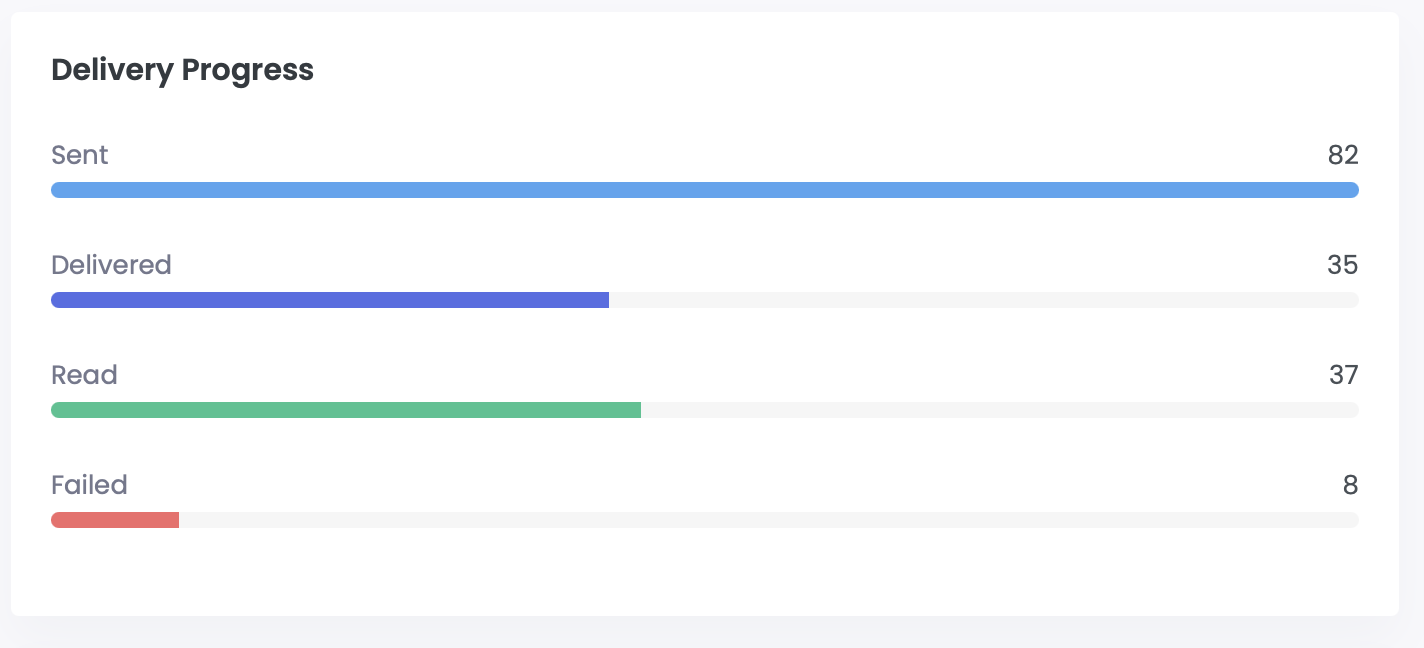
Read Receipts
See when people read your messages to understand engagement and optimal sending times.
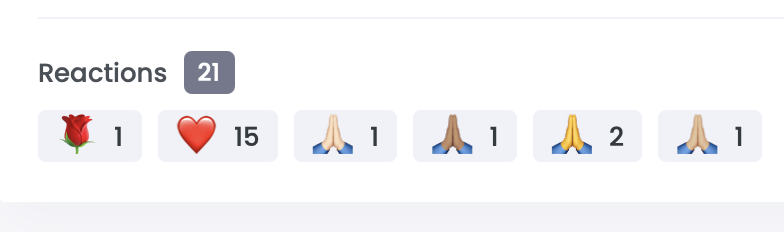
Response Tracking
Monitor replies and engagement to measure the effectiveness of your communications.
Connect Echo to
your own systems.
Echo has an API. Send messages, look up templates and manage contacts from a website form, a database, or whatever else you already run. Available on Enterprise.
Built for the tools you already have
Create credentials under API Access in Echo and you have a documented, rate-limited API in minutes — with live documentation and worked examples.
- Send single or bulk messages
- Read your approved templates and connected phone numbers
- Check whether you can still send a contact a free-form message, or need to use a template
- Full contact and contact-list management
- Every API send is attributed in your message history, so you can always tell what came from where
# Send an approved template to one person
curl https://api.echo.solenex.it/v1/messages \
  -H "Authorization: Bearer echo_sk_live_..." \
  -H "Content-Type: application/json" \
  -d '{
    "to": "+27820000001",
    "type": "template",
    "template": {
      "name": "service_reminder",
      "bodyParameters": ["Marcus", "10:00"]
    }
  }'

# 201 Created
{ "id": "msg1234567890abcdefg",
  "status": "sent",
  "apiAppName": "Website contact form" }
Simple,
Transparent Pricing
Choose the plan that fits your church's size and needs.
Starter
For small churches getting started with WhatsApp
$6 USD
- Up to 250 congregation members (including manually uploaded contacts)
- 2 scheduled messages
- 5 automations
- Unlimited templates
- Onboarding help
Growth
For growing churches that need more capacity
$28 USD
- Up to 4,000 congregation members (including manually uploaded contacts)
- 10 scheduled messages
- 20 automations
- Unlimited templates
- Onboarding help
Enterprise
For large churches and multi-site ministries
$45 USD
- Unlimited congregation members (including manually uploaded contacts)
- Unlimited scheduled messages
- Unlimited automations
- Unlimited templates
- Onboarding help
- API access
- Conversation embed for your website
What these prices cover
The prices above are for the Echo platform subscription only.
WhatsApp messaging is billed separately by Meta, who charge per message sent. Those charges go directly to your own WhatsApp Business Account at Meta's published rate for the destination country, and never pass through your Echo subscription.
Echo adds no markup. You pay Meta exactly what Meta charges — we take no share of what you spend on messaging.
Every message is billed, so Echo is built to keep that spend predictable:
- An estimated cost for any campaign, before it sends
- Live per-country rates shown in the platform
- A spend dashboard tracking your messaging costs as they run
- Your own monthly spending limit
- Threshold alerts as you approach it
Ready to engage your community?
Start sending WhatsApp messages to your people today — from Planning Center, your own contact lists, or both.