Echo updates · October 2026
What's new in Echo.
It's been a busy few months at Echo. Since August we've added a lot of new features, improved the tools you use every day, and done a great deal of work behind the scenes so Echo is faster and more reliable. Here's a summary of everything that's changed.
Headline features
Shared support
Chat with visitors on your website
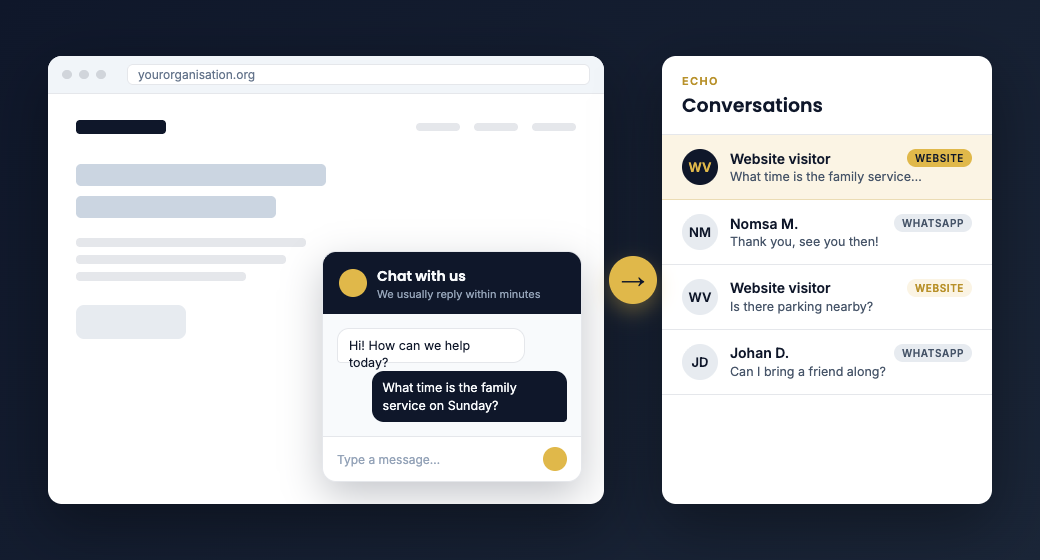
You can now add an Echo chat window to your own website. Visitors start a conversation from your site, and it arrives in your Echo Conversations inbox alongside your WhatsApp messages, so your team answers everything in one place.
Setting it up only takes a short snippet of code, and you choose which websites the widget is allowed to appear on.
Mobile app
Echo on your phone
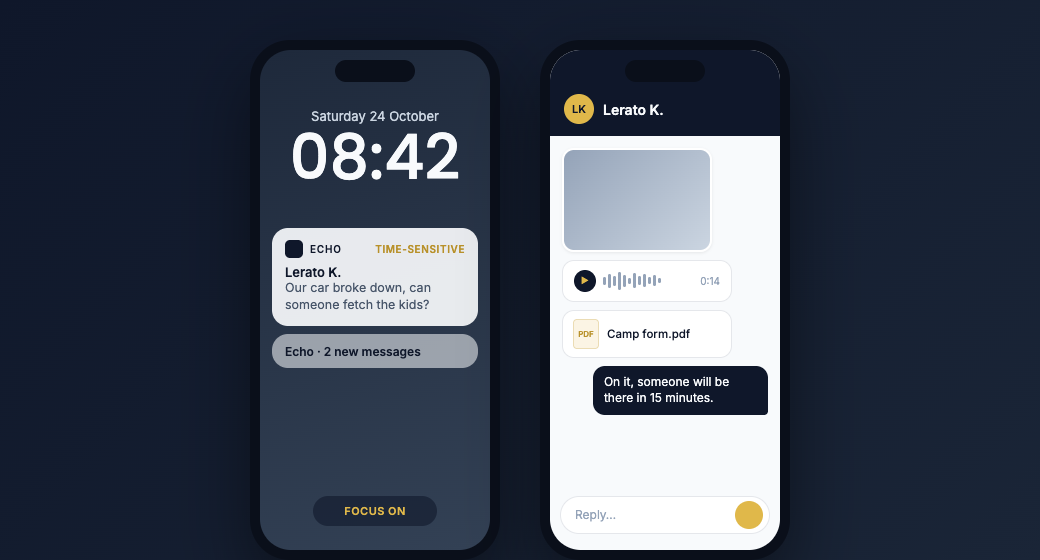
The Echo mobile app brings your Conversations inbox to iPhone and Android. Reply to messages, view photos, videos, voice notes and documents, and get push notifications the moment someone writes in, even when you're away from your desk.
Urgent messages are sent as time-sensitive notifications, so they reach you even when a Focus mode is on.
WhatsApp Business updates
Keep the WhatsApp Business number you already use
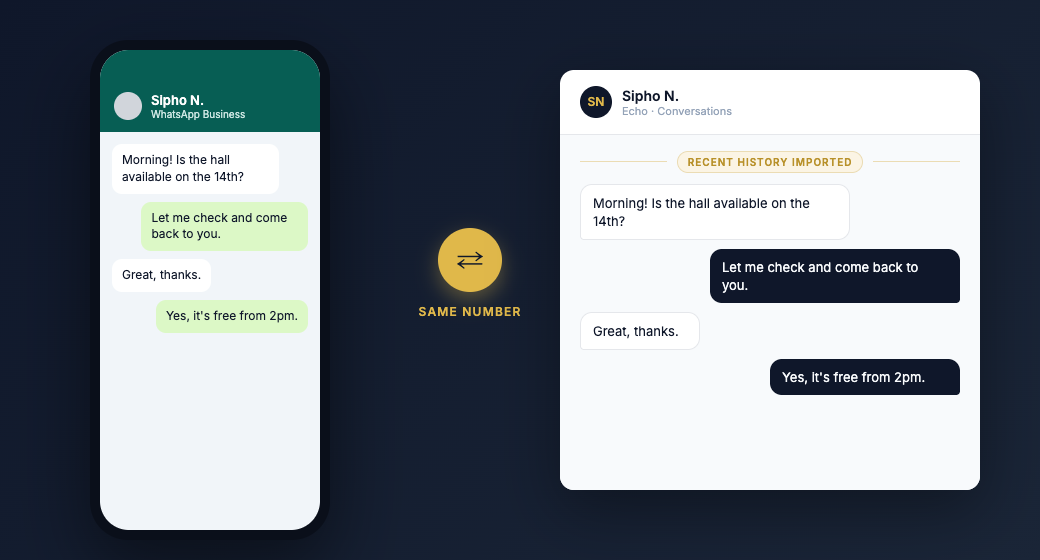
If your organisation already uses the WhatsApp Business app on a phone, you can now connect that same number to Echo without giving up the app.
Echo brings in your recent chat history during setup, and from then on messages appear in both places. You don't need a new number and you don't have to start again.
New features
SMS when WhatsApp can't get through
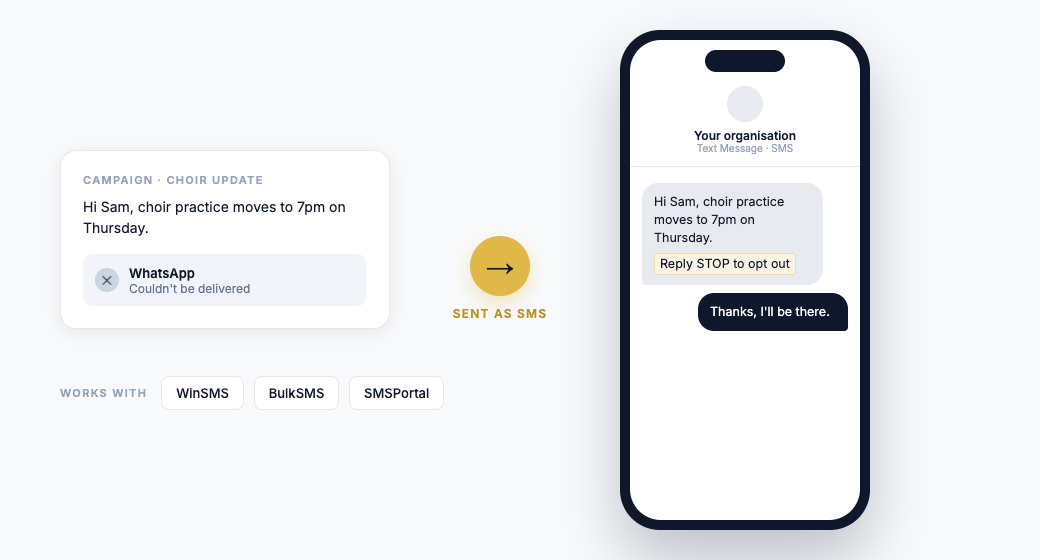
Connect your WinSMS, BulkSMS or SMSPortal account and Echo can send your message as an SMS automatically when WhatsApp can't deliver it, for example when the recipient isn't on WhatsApp. You can edit the SMS text for each campaign, SMS replies come into their own conversation thread, and an opt-out line ("Reply STOP to opt out") is added for you.
Personalise campaigns with your own CSV columns
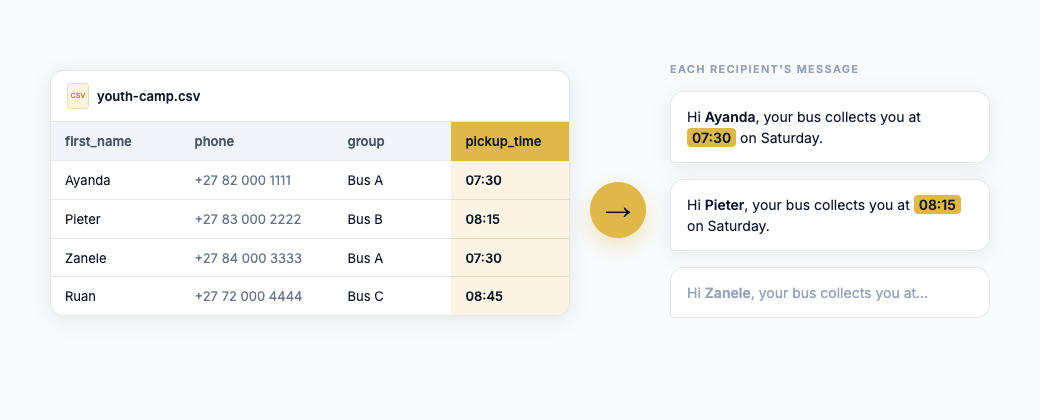
When you import contacts from a spreadsheet, you can now keep any extra columns as custom fields, such as a ministry, a group name or a pickup time, and use them to fill in your template variables. Every recipient gets a message that's specific to them. This works with manual imports for now.
A new Support Staff role
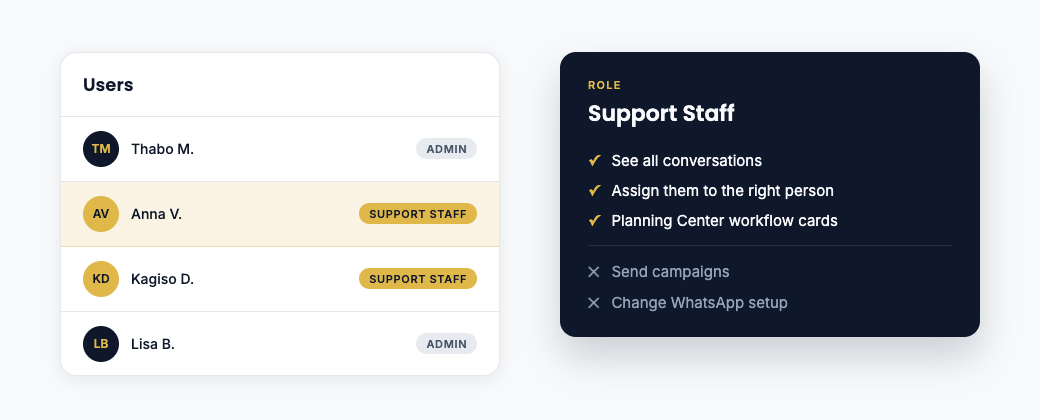
Add team members as Support Staff to help manage your inbox. They can see all conversations and assign them to the right person, but they can't send campaigns or change your WhatsApp setup. For Planning Center organisations, Support Staff can also work with Planning Center workflow cards.
One daily summary instead of a pile of reminder emails
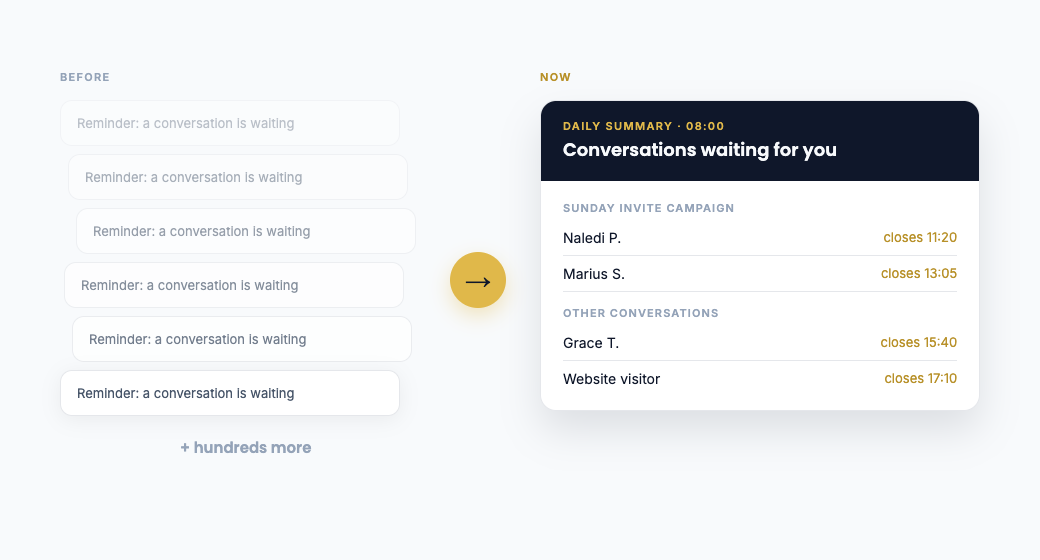
Echo used to send a separate reminder email for every conversation waiting on a reply. After a big campaign, that could mean hundreds of emails. Now each person gets one email a day listing the conversations still waiting for them and when each reply window closes. Campaign replies are grouped by campaign. You choose the time it arrives under Organisation Settings.
See your WhatsApp business verification status
Meta business verification
Your organisationOrganisation Settings and your dashboard now show where your business stands with Meta's verification, so you can see straight away whether there's anything you need to do.
Filter conversations by number
Show conversations on
If your organisation has more than one WhatsApp number, you can now filter the inbox to show conversations on a single number, or only SMS conversations.
Choose which number to reply from
+27 82 000 1234 number removed
If the number a conversation started on has been removed, Echo now lets you choose which of your other numbers to reply from, so the conversation can keep going.
More from the Echo API
API Access · Conversation permissions
Off by default. You switch them on per app.
The Echo API can now work with Conversations too. Connected systems can read conversation history, reply and manage conversations. These permissions are off by default, and you choose which ones each app gets under API Access.
Improvements
A faster, smarter Conversations inbox
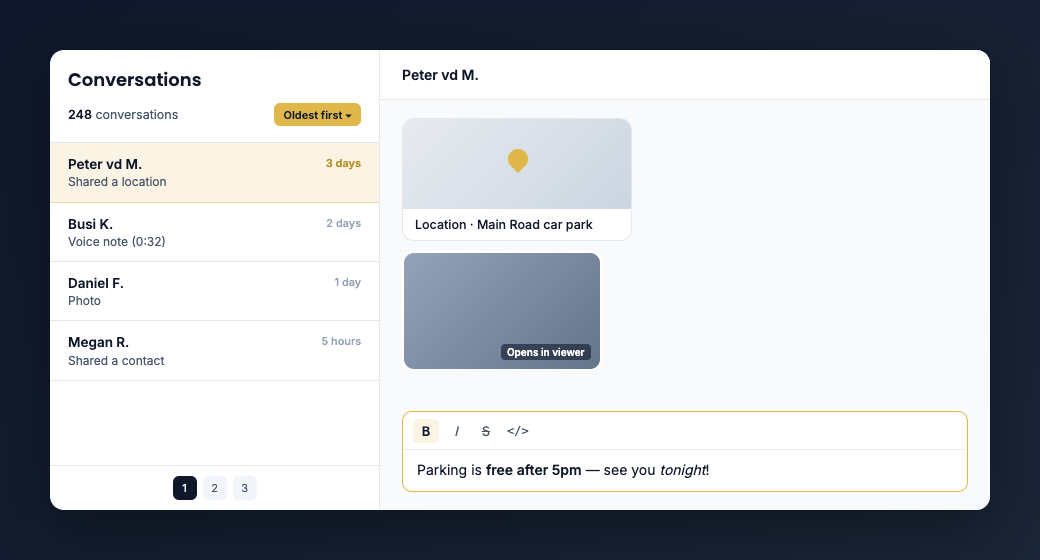
- Faster for large inboxes. The list loads in pages and shows the total number of matching conversations.
- Oldest first. Sort the inbox so the people who've been waiting longest appear at the top.
- Formatting you can see as you type. Bold, italic, strikethrough and monospace now look right in the message box before you send, using the same toolbar as the template builder.
- Media opens in Echo. Photos open in a viewer, and videos, voice notes and PDFs play or open without downloading first.
- Every message type shows correctly. Stickers, locations and shared contacts now display properly. When WhatsApp can't pass a message through to Echo, you'll see WhatsApp's own explanation instead of a blank or confusing message.
Clearer WhatsApp message pricing and billing
WhatsApp messaging rates
- Pricing with dates. Echo now shows the date each WhatsApp messaging rate takes effect, so you know which rate applies to your messages and when you'll be billed for them.
- Up to date with Meta's prices. Rates have been updated for Meta's pricing changes from 1 October 2026, in all supported currencies.
- Spending limits that hold. Spending limits, quotas and plan limits are now checked properly before messages go out, so there are no surprises on your bill.
- Meta's messaging limits. Messaging limit tracking now follows Meta's updated rules, and all limit tiers display correctly throughout Echo.
- Costs in the mobile app. The app shows message costs and explains Meta's pricing changes.
Templates you can rely on
- Images, videos and documents are checked when you upload them, so a template that's accepted will send.
- Templates are tested before they're used in a campaign.
- A new help page explains which media files WhatsApp accepts.
Team and account management
Users
- Invited team members now show in the Users tab before they've accepted.
- Accepting an invitation is smoother.
- Echo emails now carry the Echo logo, so they're easy to recognise.
- Subscribing and paying through Paystack is more reliable.
Stability & security
We've done a lot of work behind the scenes to make Echo more secure, more reliable and faster.
- Stronger account security. We've tightened access controls throughout Echo so each organisation's data, users and conversations are visible only to that organisation's own team.
- Safer WhatsApp connections. One WhatsApp Business account can no longer be linked to more than one organisation, and Echo now prevents duplicate numbers and checks each number's status more reliably.
- More reliable message processing. We fixed issues with incoming WhatsApp updates and payment notifications so nothing is missed.
- Faster response times. Key parts of Echo are kept ready to respond, so the first action of the day doesn't wait for a slow start.
- Updates reach you straight away. When we release an update, you get it the next time you open Echo, with no stale version left in your browser.
- Bug fixes. We fixed problems with editing contacts in Manual Imports, CSV imports, bulk sends, Planning Center sign-ups, empty message bubbles and media links that stopped working.
In case you missed it
These arrived in August:
- The Echo API. Send messages and manage contacts from your own systems. Documentation is at echo.solenex.it/docs.
- Echo without Planning Center. Organisations can now sign up and use Echo without a Planning Center account, and import and manage their own contacts.
- Automatic replies filtered out. Away messages that come back after a campaign are set aside instead of filling your inbox.
- Browser notifications for new messages.
- A redesigned conversation view, faster, with a contact's full message history shown in the thread.
Coming soon
Workflows
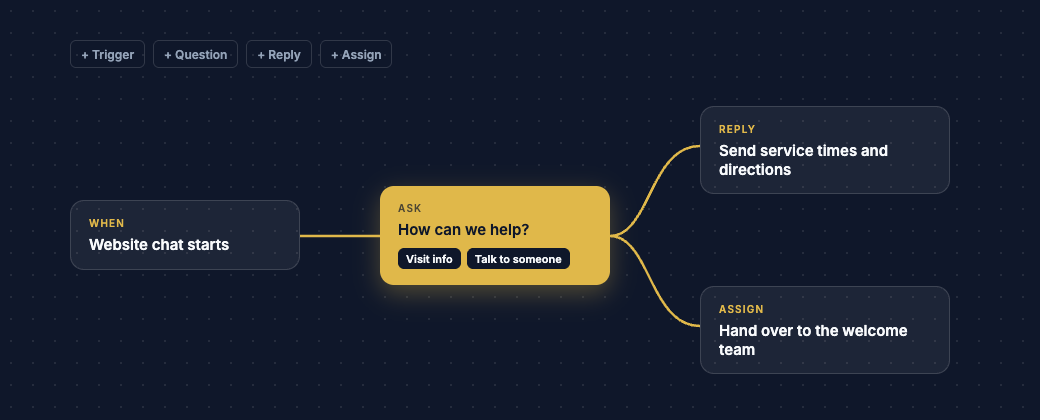
We're building a visual, drag-and-drop workflow builder. You'll be able to set up automatic, guided replies to messages, campaigns and website chats, and automate what happens when people are added to your contact lists. More details soon.
Thank you for using Echo. Most of these changes started as feedback from organisations like yours, so please keep it coming. If you have questions or need help with any of these features, contact us at support@solenex.it.
Warm regards,
Solenex Support Team